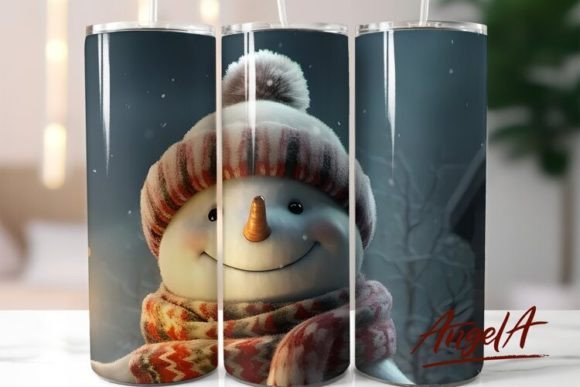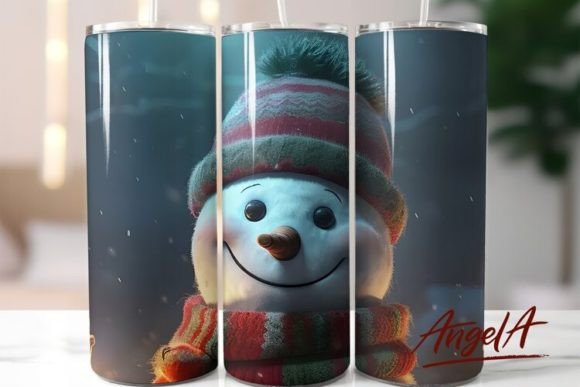
Snowman Tumbler Cute Snowman Face: Mastering Your 20 oz Skinny Sublimation Wrap
The holiday season brings a unique surge in demand for personalized drinkware, and few designs capture the festive spirit quite like a Snowman Tumbler Cute Snowman Face. For creators, small business owners, and hobbyists, this specific aesthetic offers a charming blend of whimsy and seasonal warmth. However, the difference between a professional-grade product and a disappointing result often lies in the details of preparation and application. Many enthusiasts rush into the sublimation process without fully understanding the nuances of the digital file or the physical constraints of a 20 oz skinny tumbler. By addressing common pitfalls early, you can ensure your final product is not only visually appealing but also durable and market-ready.
Understanding the Digital Asset Specifications
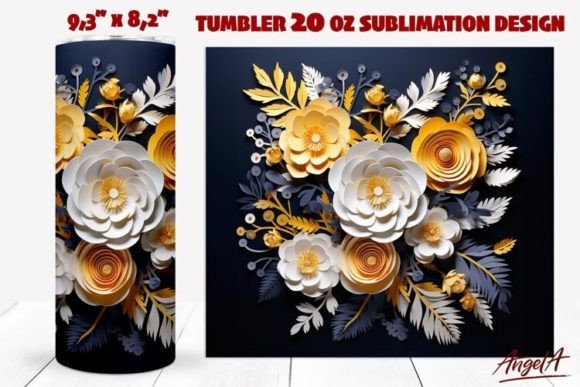
Before you even preheat your press, it is crucial to understand what you are working with. The design in question is typically provided as a PNG file at 300 DPI, with straight dimensions of approximately 9.3 by 8.2 inches. This specific resolution is non-negotiable for high-quality sublimation. A lower resolution will result in pixelation, especially on the smooth, reflective surface of a coated tumbler where every imperfection is magnified.
A frequent mistake beginners make is assuming that any image labeled "high quality" is ready for print. In reality, you must verify the DPI (dots per inch) yourself. If you attempt to upscale a 72 DPI web image to fit a 9.3-inch width, the output will be blurry and unprofessional. Always check the image properties before purchasing or downloading. Furthermore, ensure the PNG has a transparent background if the design elements do not cover the entire wrap area. A white background on a PNG can lead to visible rectangular borders after pressing, ruining the seamless look of the Christmas tumbler sublimation wrap.
The Trap of Ignoring Printer Color Profiles
One of the most overlooked aspects of sublimation is color management. The vibrant reds of Santa’s hat or the crisp whites of the snowman’s face on your screen will rarely match the final product if your printer profile is incorrect. Many creators skip the step of calibrating their printers, leading to dull, washed-out colors or unexpected color shifts.
To avoid this, always use ICC profiles specific to your ink and paper combination. Sublimation ink behaves differently than standard inkjet ink; it turns into gas under heat and bonds with the polymer coating. If your colors look too dark on screen, they might print correctly, but if they look vibrant on screen without proper profiling, they may end up muted. Test print a small section of the 3D cute snowman face on regular paper first to check color balance. This simple step saves costly blanks and transfer paper.
Application Errors on 20 oz Skinny Tumblers
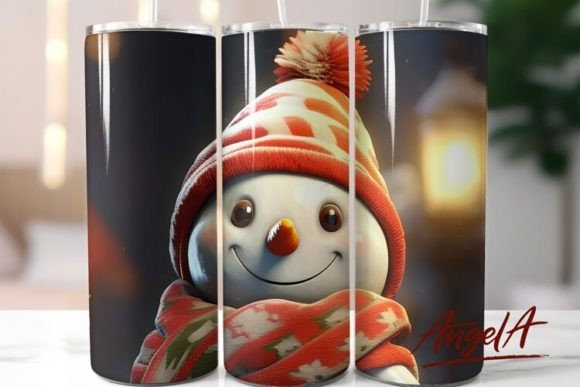
The physical application of the wrap is where many projects fail. A 20 oz skinny tumbler has a specific circumference that must align perfectly with the 9.3-inch width of your design. A common error is misaligning the seam. If the design is not centered correctly, the pattern may overlap awkwardly or leave a gap at the back. This is particularly noticeable with symmetrical designs like a snowman’s face, where eyes or features might appear distorted if the wrap is twisted during application.
Another critical mistake is inadequate tension when wrapping the transfer paper. If the paper is loose, it can shift during the heat press cycle, causing "ghosting"—a faint double image that ruins the clarity of the design. Use high-temperature resistant tape to secure the paper tightly at the top and bottom seams. Ensure there are no wrinkles or air bubbles trapped between the paper and the tumbler. Even a small fold can prevent ink transfer in that spot, leaving a blank streak across the snowman’s scarf or face.
Heat Press Settings: Precision Over Guesswork
Sublimation is a science of time, temperature, and pressure. Using generic settings found online without testing them on your specific equipment is a recipe for inconsistency. Most 20 oz skinny tumblers require a temperature around 380°F to 400°F for 180 to 200 seconds, but this varies by press model and tumbler brand.
Under-pressing results in faint colors that wash out after the first use. Over-pressing can cause the coating on the tumbler to yellow or crack, and it may burn the transfer paper, leaving scorch marks on your design. Invest in an infrared thermometer to verify the actual temperature of your heat press platen. Do not rely solely on the digital display, which can be inaccurate. Additionally, ensure even pressure across the entire height of the tumbler. Uneven pressure leads to patchy ink distribution, where parts of the Snowman Tumbler Cute Snowman Face appear vibrant while others look faded.
Material Quality and Blank Selection
No amount of skill can compensate for a poor-quality blank. Not all "sublimation-ready" tumblers are created equal. Cheaper blanks may have inconsistent polymer coatings, leading to uneven color absorption. When sourcing your 20 oz skinny tumblers, look for reputable suppliers who specialize in sublimation products. Check reviews specifically mentioning color vibrancy and durability.
It is also wise to inspect each blank for scratches or defects before pressing. A tiny scratch on the coating will remain visible after sublimation and can detract from the overall aesthetic. Store your blanks in a dust-free environment to prevent particles from sticking to the coating, which can create small white spots in the final design.
Post-Press Care and Longevity
The lifecycle of your tumbler does not end when it comes out of the press. Proper cooling and handling are essential. Remove the transfer paper immediately after the press cycle while the tumbler is still hot, but handle it with care to avoid burns. Allow the tumbler to cool completely before removing the tape. Peeling tape off a hot tumbler can sometimes lift the fresh ink or damage the coating.
Educate your customers or yourself on proper care instructions. Sublimated tumblers should generally be hand-washed. Dishwashers expose the design to harsh detergents and high heat cycles that can degrade the image over time. Providing a care card with your product enhances perceived value and ensures customer satisfaction.
Final Checklist for Success
Before you begin your next batch of holiday tumblers, run through this quick checklist:
- Verify the PNG file is 300 DPI and sized correctly at 9.3 x 8.2 inches.
- Calibrate your printer and perform a test print for color accuracy.
- Inspect blanks for coating defects and clean them with lint-free cloths.
- Wrap the transfer paper tightly, ensuring perfect seam alignment.
- Validate heat press temperature with an external thermometer.
- Apply consistent pressure and monitor time precisely.
- Cool properly and provide clear care instructions.
By focusing on these technical details and avoiding common shortcuts, you elevate your craft from amateur to professional. The Snowman Tumbler Cute Snowman Face design is a delightful choice for the season, but its success depends entirely on your execution. Take the time to master the process, and your creations will stand out in a crowded market, bringing joy to recipients and profitability to your business.